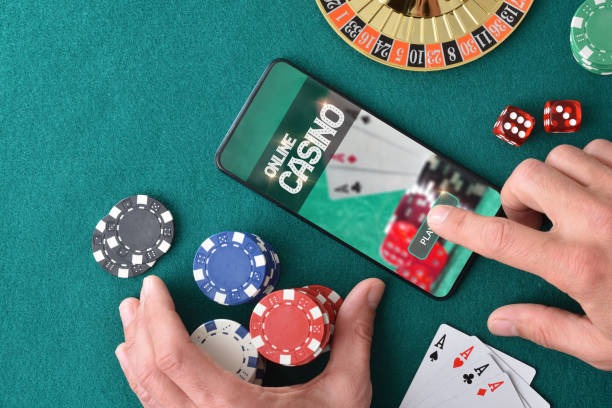
Installation paths for gurita on mobile
We at gurita offer three ways to access our platform on mobile: Android APK direct download, iOS browser access, and responsive web app. Android users can download our APK file directly from gurita and install it on their device. This method gives you a native app experience with offline caching and push notifications. iOS users access gurita through Safari or Chrome browser — no app store download required. Web app users on any device can add gurita to their home screen for quick access.
Each installation method has the same account system. Your username, password, and account balance work across all three paths. If you switch from Android to iOS or from app to browser, simply log in with your existing credentials. Your transaction history, betting records, and withdrawal requests remain synchronized.
Download and install directly on your device. Requires Android 7.0 or higher.
Open gurita in Safari or Chrome. Works on iOS 12 and above. No installation needed.
Add gurita to your home screen from any browser. Works on all devices with internet access.
Step-by-step installation guide for gurita
Follow these four steps to get gurita running on your mobile device:
- Download the gurita APK fileVisit gurita.bet on your Android device, tap the download button, and save the APK file to your device storage.
- Enable installation from unknown sourcesGo to Settings → Security → Unknown Sources and toggle it on. This allows your device to install apps outside the Google Play Store.
- Install the gurita appOpen your file manager, find the gurita APK file, and tap it to begin installation. Follow the on-screen prompts and grant necessary permissions.
- Create or log into your gurita accountLaunch the app, enter your email and password, or tap "Create account" to sign up. Complete identity verification before your first withdrawal.

App vs browser — which is right for you on gurita
The gurita Android app offers offline caching, meaning you can view game rules, account history, and payment information even without internet. Push notifications alert you to live events — when a Liga 1 match is about to start, when a Piala AFF tournament begins, or when your withdrawal is processed. The app also loads faster than the browser because it stores frequently used assets locally. Battery usage is optimized for extended play sessions.
Browser access on iOS or web requires an active internet connection but requires no installation. You can access gurita from any device with a browser — desktop, tablet, or phone. Browser access is useful if you want to avoid storage space on your device or if you prefer not to enable unknown sources on Android. Both methods use the same encryption and security protocols, so your account is equally protected whether you use the app or browser.
Device compatibility and system requirements for gurita
The gurita Android app requires Android 7.0 or higher. Most devices released after 2016 meet this requirement. If your device runs Android 6.0 or earlier, you can still access gurita via browser. iOS users need iOS 12 or higher to access gurita in Safari or Chrome. Devices with less than 100 MB of free storage may struggle to install the app — we recommend clearing cache or uninstalling unused apps first.
Troubleshooting common installation issues on gurita
If you see "Installation blocked" on Android, check that Unknown Sources is enabled in Settings. If the APK file fails to download, try a different browser or clear your browser cache. If the app crashes after installation, restart your device and try again. If you receive a certificate warning, this is normal for APK installations outside the Play Store — tap "Install anyway" to proceed. If the app runs slowly, close other apps to free up memory. If you cannot log in after installation, verify your email and password are correct, and check that your internet connection is stable.

Data, permissions, and account security on gurita mobile
The gurita app requests permission to access your device storage (to cache game data), your camera (for identity verification during account setup), and your microphone (for optional live chat with dealers). We do not access your contacts, photos, or other personal files. All data transmitted between your device and gurita servers is encrypted using TLS protocol. Your password is never stored on your device — you must enter it each time you log in, or enable biometric login (fingerprint or face recognition) for convenience.
We recommend enabling two-factor authentication (2FA) in your gurita account settings. This adds a second security layer — even if someone obtains your password, they cannot access your account without a code sent to your phone. If you lose your device, log into gurita from another device and change your password immediately. Contact our support team via live chat if you suspect unauthorized access to your account.
Mobile app security on gurita
- All transactions encrypted with TLS protocol
- Password never stored on your device
- Enable two-factor authentication for added security
- App permissions limited to storage, camera, and microphone only
- Account data synchronized across all devices